
Discover new reads
Your library grows from what you find, and Bredbox can help with the finding. Discover surfaces good reads from around the web, and For You learns which topics you care about.
Browse Discover
Section titled “Browse Discover”Open Discover from the header (or press G D). It’s a feed of stories recently saved by Bredbox users, arranged so there’s always something worth a look:
- Today’s essential reads and Fascinating stories: rotating picks from across the community.
- A topics list: from cooking to science to technology. Open any topic for a feed of recent reads about it, and use Discover more topics to browse the full set.
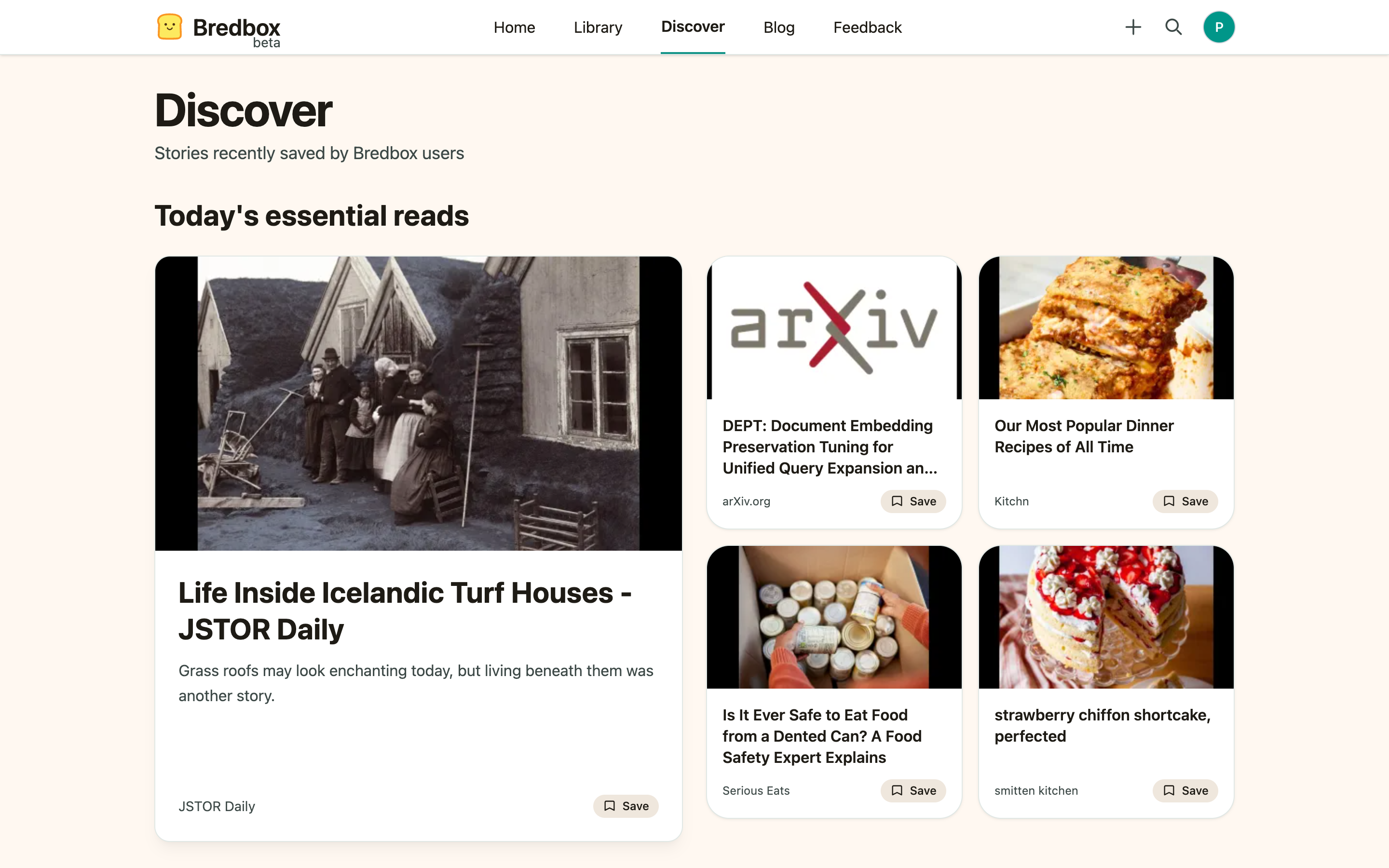
Every recommendation card has a Save button. One click and it’s in your Inbox, exactly like something you saved yourself: same reading view, same tags, same everything. The button flips to Saved so you can tell what you’ve already grabbed.
Not interested in something? Hide this recommendation makes it go away.
Personalize For You
Section titled “Personalize For You”For You is a feed built from topics you choose:
- Open Settings → Interests.
- Pick up to five topics that match what you actually want to read.
- Choose Save preferences.
- Open For You: the feed now draws from your chosen topics.
Change your interests any time; the feed follows.
See what’s new on Bredbox
Section titled “See what’s new on Bredbox”The signed-in home page includes a New on Bredbox section with recent additions worth a look, a lighter version of Discover that comes to you.
Turn personalization off
Section titled “Turn personalization off”You don’t have to use personalized recommendations at all. Open Settings → Interests and choose Turn off personalization.
While personalization is off:
- For You is unavailable, and its section no longer appears on your home page.
- Bredbox stops using your interests and your saved library to recommend anything.
- Discover, its topic feeds, and New on Bredbox keep working. They show what the community is saving rather than anything drawn from you, so they aren’t personalized to begin with.
- Hide this recommendation keeps working, and anything you’ve already hidden stays hidden.
Nothing is deleted. Your chosen topics and your hidden recommendations are both kept, so Turn on personalization picks up exactly where you left off: you won’t be asked to choose topics again.
You can also make this choice while setting up a new account. The topics step has a Do not personalize recommendations checkbox, and any topics you picked before checking it are saved for later.