
Save your first link
The best way to learn Bredbox is to save one real link you want to come back to later.
Before you start, create your account and sign in.
Save a link from the web app
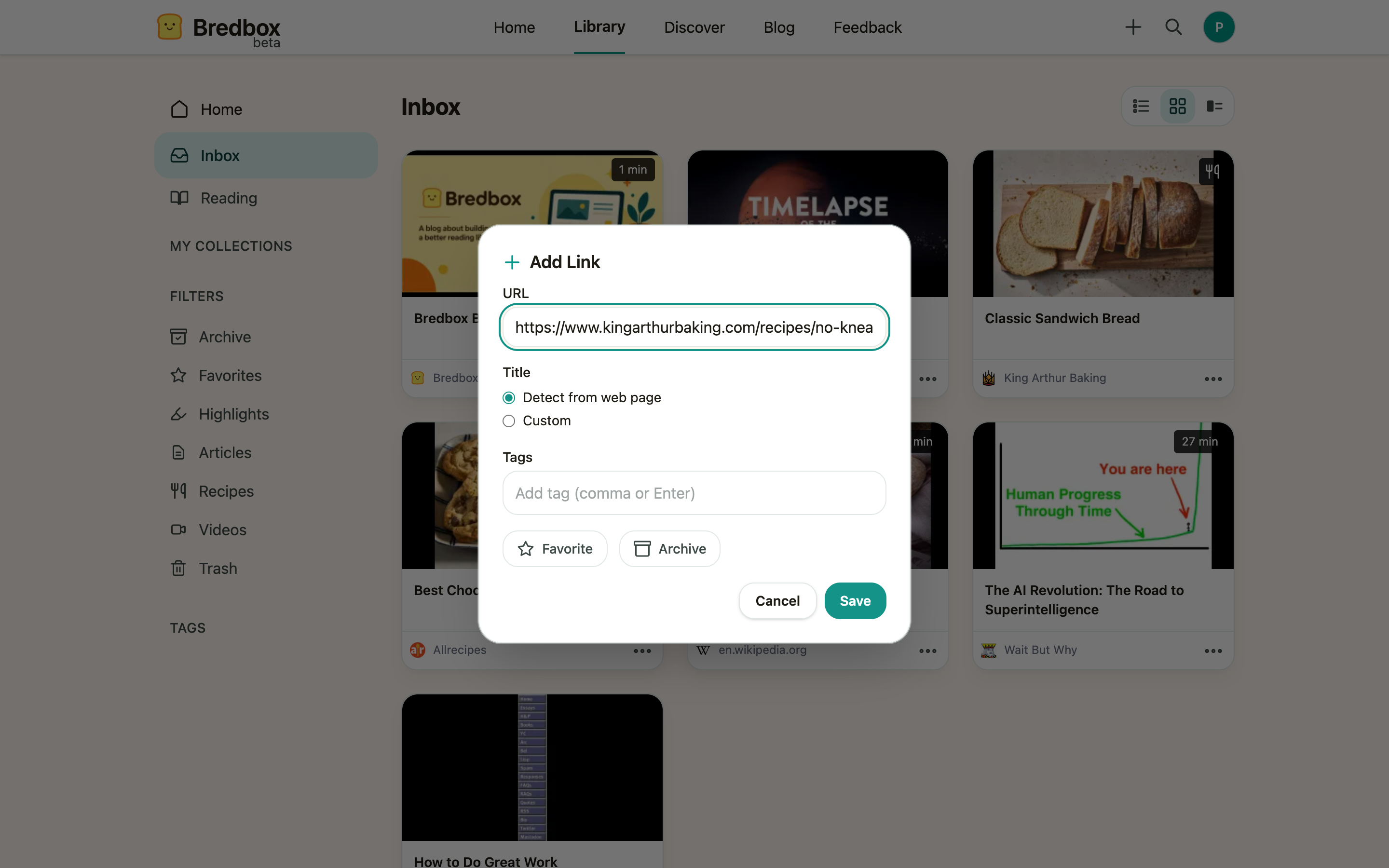
Section titled “Save a link from the web app”- Click the + button in the header (it’s on every page). (Keyboard fans can press
=instead.) The Add Link dialog opens. - Paste the URL you want to keep.
- If you like, add a tag or two, or mark the save as a favorite, right in the dialog.
- Click Save.
What happens next
Section titled “What happens next”The link lands in your Inbox right away, and Bredbox starts building a useful record around it. Within a few moments you’ll usually see:
- The page title, site name, and a preview image.
- A clean reading view, if the page is an article.
- A recipe view, if Bredbox recognizes the page as a recipe.
- A content type (article, video, or recipe) so the save shows up in the right library views.
Some details appear immediately; others finish processing a little later. You can open and read the save while that happens.
What to do with the save
Section titled “What to do with the save”Once the link is in your library, take one more step so it stays easy to find:
- Add one or two tags, such as
work,weekend, orbaking. - Put it in a collection if it belongs to a project or theme.
- If it’s an article, open it in Bredbox’s reading view.
If you save the same URL twice
Section titled “If you save the same URL twice”Re-saving a link is always safe. If the URL is already in your library, Bredbox shows a friendly “Already in your library, updated” note instead of creating a second copy, and it never removes tags or clears a favorite you set earlier. See Save links from anywhere for the details.
Faster ways to save later
Section titled “Faster ways to save later”Once the basic flow feels familiar, most people settle on the browser extension: it saves the page you’re on in one click, without leaving the tab. And if you have years of saves in another app, import your library to bring them all over at once.