
Track your reading progress
Long reads rarely happen in one sitting. Bredbox keeps track of where you are in every article, so picking something back up is effortless.
Progress is automatic
Section titled “Progress is automatic”As you read an article, Bredbox records how far you’ve gotten. A slim progress bar under the reader’s toolbar shows how much of the article is behind you, and the same progress appears on the save’s card in your library.
There’s nothing to turn on: just read.
Pick up where you left off
Section titled “Pick up where you left off”Open Reading in the sidebar to see every article you’ve started but not finished, ordered by what you touched most recently.
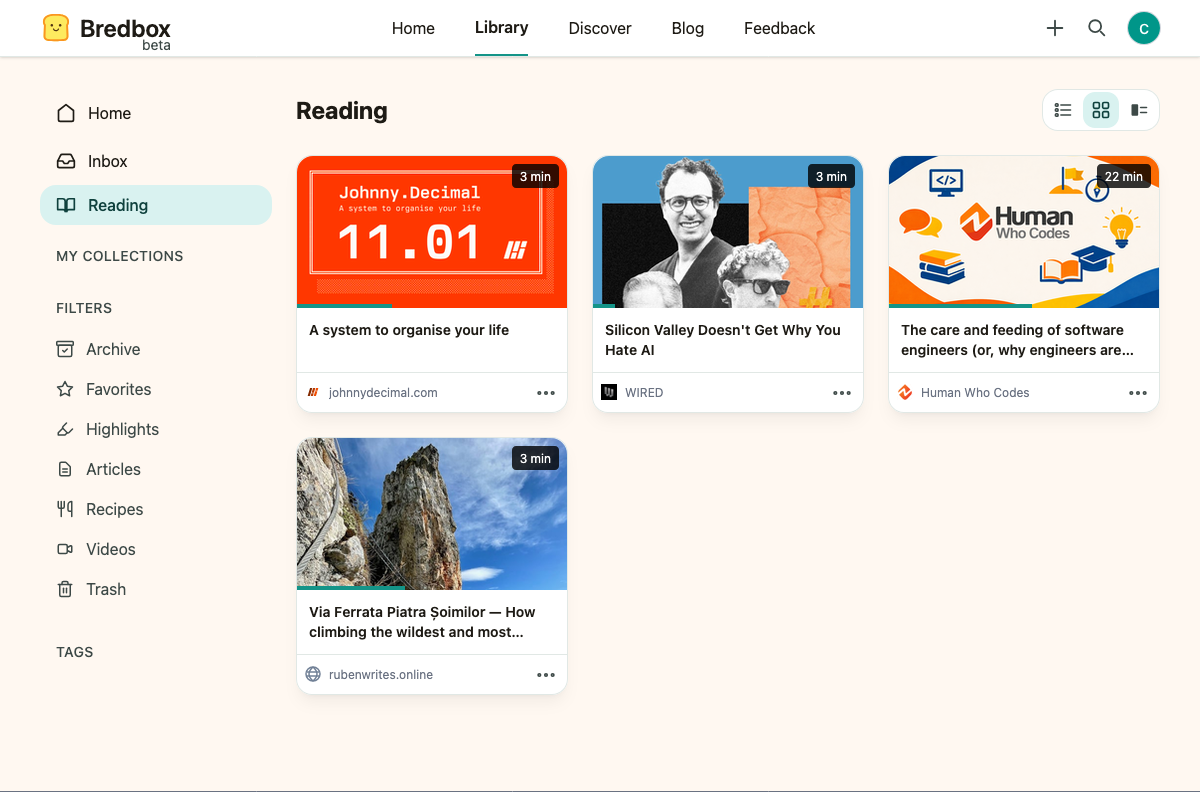
The Reading list spans your whole library: an article stays on it whether it’s in your Inbox or Archive, until you finish it or trash it.
Finish an article
Section titled “Finish an article”When you reach the end, Bredbox asks what you’d like to do:

- Mark as read: the article leaves your Reading list.
- Keep unread: it stays, for when you want to come back.
Set the status yourself
Section titled “Set the status yourself”You don’t have to reach the end. Anywhere you see a save (the reader toolbar, the ⋯ options menu, or the keyboard shortcut M), you can choose Mark read or Mark unread.
Marking an article read is also a tidy way to clear something from the Reading list that you’ve decided not to finish. No judgment: some articles deserve abandoning.
What tracks progress
Section titled “What tracks progress”Reading progress applies to article saves with extracted text (the ones that open in the reading view), to emails you forwarded in, and to PDFs, Word documents, and presentations, which reopen at the page you stopped on. Videos, images, and audio don’t track progress.
Listening keeps its own place, separate from your reading progress. Listening doesn’t move where the reader reopens, and reading doesn’t move where the player resumes.