
Browse your library views
Search is best when you remember a phrase. The library’s focused views are better when you remember what kind of save you are looking for. All of them live in the sidebar of your library.
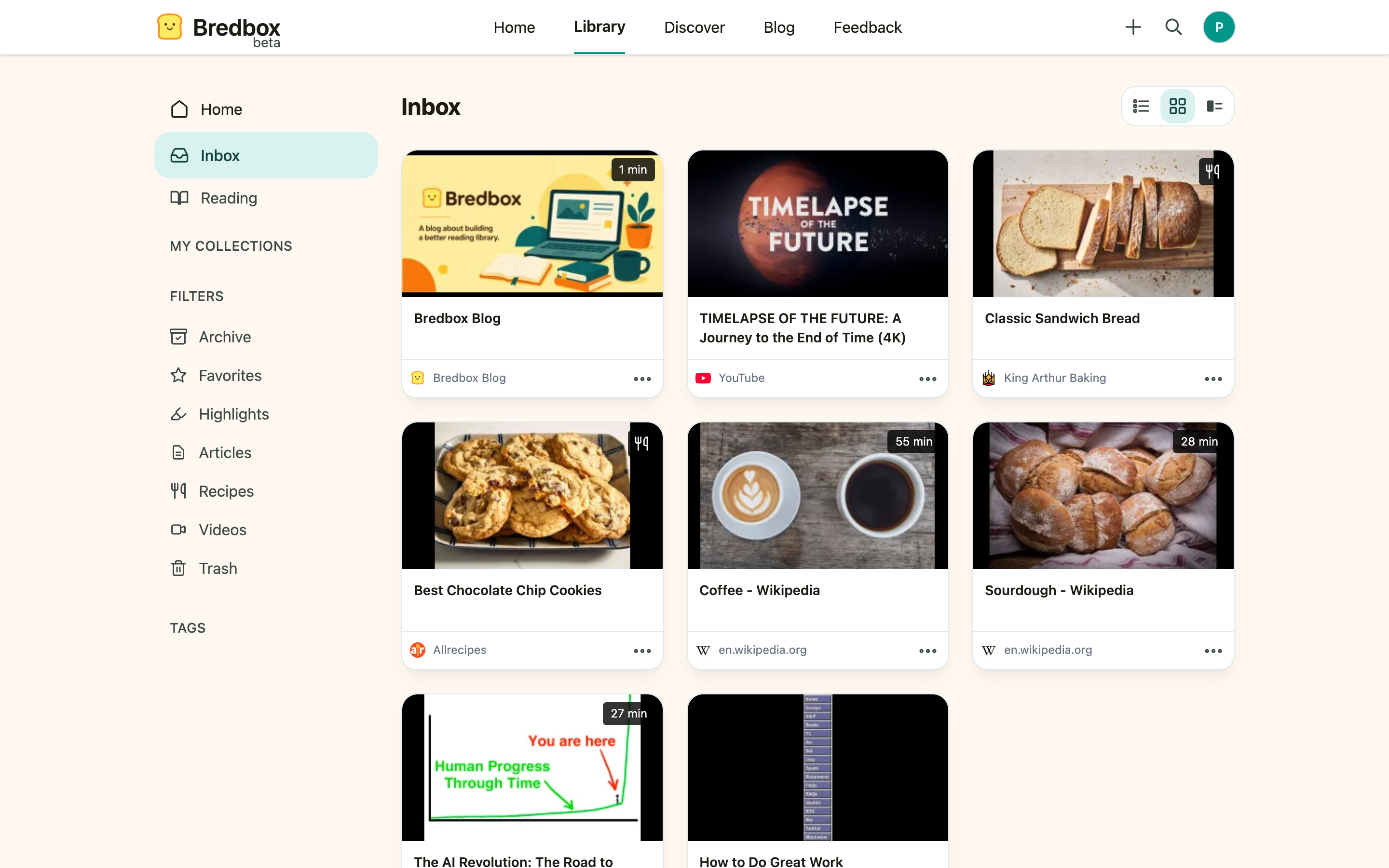
Use status views
Section titled “Use status views”Bredbox includes dedicated views for common save states:
| View | Use it when… |
|---|---|
| Inbox | You want your active library: everything you’ve saved and not archived. |
| Reading | You want articles you’ve started but not finished, most recent first. |
| Favorites | You want links you marked as especially important. |
| Archive | You want links you kept but moved out of the Inbox. |
| Highlights | You want saves that contain highlighted passages. |
| Trash | You want something you deleted in the last 30 days. |
Archive is a good alternative to deleting when you may need the link again later, and Trash is the safety net when you delete anyway.
Use content type views
Section titled “Use content type views”Bredbox classifies saves by content type where it can:
| View | What it shows |
|---|---|
| Articles | Long-form pages with readable article content. |
| Videos | Watch-later links recognized as video content. |
| Recipes | Recipe pages with structured cooking details. |
| Images | Links that point directly at an image. |
| Documents | PDFs, Word documents, and presentations Bredbox saved a copy of, opened in its built-in document viewer. |
These views work best after Bredbox has finished processing the save.
Browse by tag
Section titled “Browse by tag”Tags in the sidebar lists every tag in your library; open one to see all its saves. See Use tags.
Pin the tags and collections you use most
Section titled “Pin the tags and collections you use most”The sidebar’s My Collections and Tags headings are index links: they list everything. Underneath each, Bredbox shows the items you have pinned, so the handful you actually use every day are always one click away without opening the full list first.
To pin something:
- Open the tag or collection.
- Click the pin next to its title: Pin tag or Pin collection.
The item appears in the sidebar right away, filed under Tags or My Collections and sorted alphabetically. To remove it, open it again and click the same pin, now labelled Unpin tag or Unpin collection.
A few things worth knowing:
- Pinning changes only your own view. It does not move, rename, or share anything.
- Pins are saved to your account, so the same items are pinned in every browser you sign in from.
- Renaming a pinned tag or collection updates its sidebar entry; deleting one removes the entry.
- Because pinning is a display preference rather than a change to your library, it stays available in read-only mode.
Choose how lists look
Section titled “Choose how lists look”Every save list has a display mode toggle in the header row, next to the page title:
- List: compact rows, titles only. Best for scanning a lot of saves.
- Tiles: cards with preview images. Best for visual browsing (and recipes).
- Details: everything (image, description, and tags).
Your choice is saved to your account, so the library looks the same on every device you use. Keyboard fans can switch with V L, V T, and V D.
When a save is missing from a type view
Section titled “When a save is missing from a type view”A save may not appear in a type view if Bredbox could not confidently classify it. Common reasons include:
- The page has limited metadata.
- The page relies heavily on scripts.
- The save was added recently and processing is not finished.
- The site does not publish its recipe or article data in a standard way.
The save still remains in your Inbox even if it does not appear in a focused type view.