
Select multiple saves
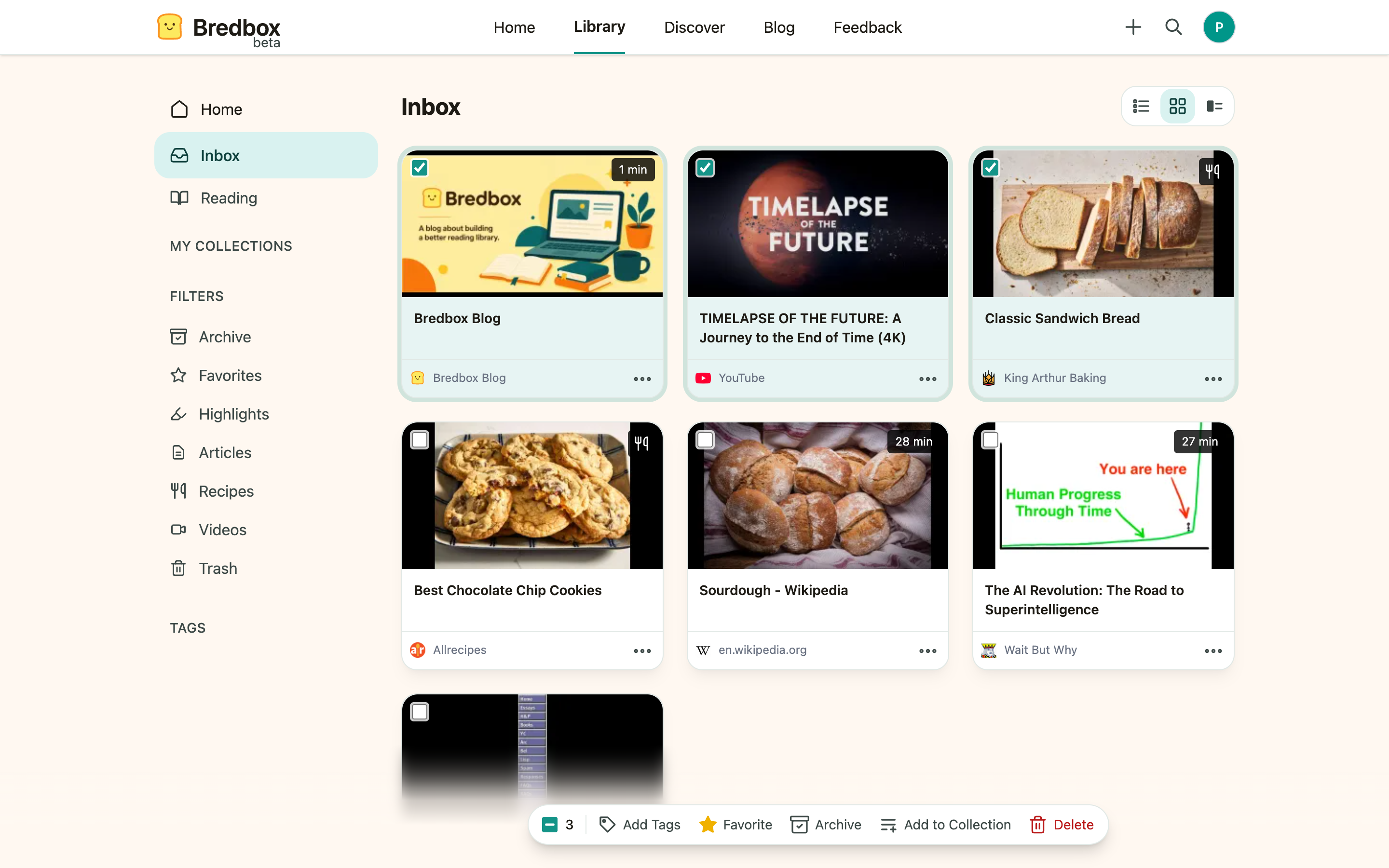
Cleaning up a library one save at a time gets old fast. Every list in Bredbox lets you select as many saves as you like and apply one action to all of them.
Select saves
Section titled “Select saves”- Hover over a save and tick its checkbox. (With the keyboard: move to a save with
J/Kand pressX.) - Keep ticking saves: as soon as one is selected, the bulk actions bar appears at the bottom of the screen with a running count.
- To grab everything at once, use the Select all saves on this page checkbox in the bar (or press
* A;* Nclears the selection).
Apply an action to the selection
Section titled “Apply an action to the selection”The bulk actions bar offers:
- Add Tags: type one or more tags and apply them to every selected save. Existing tags are kept.
- Favorite / Unfavorite
- Archive / Unarchive
- Add to Collection: put the whole selection into one collection.
- Delete: move the whole selection to Trash.
The bar shows how many saves the action will touch before you commit.
Bulk actions in Trash
Section titled “Bulk actions in Trash”In the Trash view, the bar swaps to Restore and Delete now. Permanent deletion asks you to confirm, and tells you exactly how many saves it’s about to remove.
Good uses for bulk actions
Section titled “Good uses for bulk actions”- Tagging everything you just imported from another app.
- Archiving a page of things you’ve finished with.
- Moving a research batch into a project collection in one go.
- Emptying Trash deliberately instead of waiting 30 days.