
Read without distractions
Bredbox is most useful when a saved link becomes something you can actually read later, without the pop-ups, banners, and clutter of the original page.
Open an article in Bredbox
Section titled “Open an article in Bredbox”Click any article in your library and it opens in the reader: just the title, the author and source, and the article text, on a calm page.
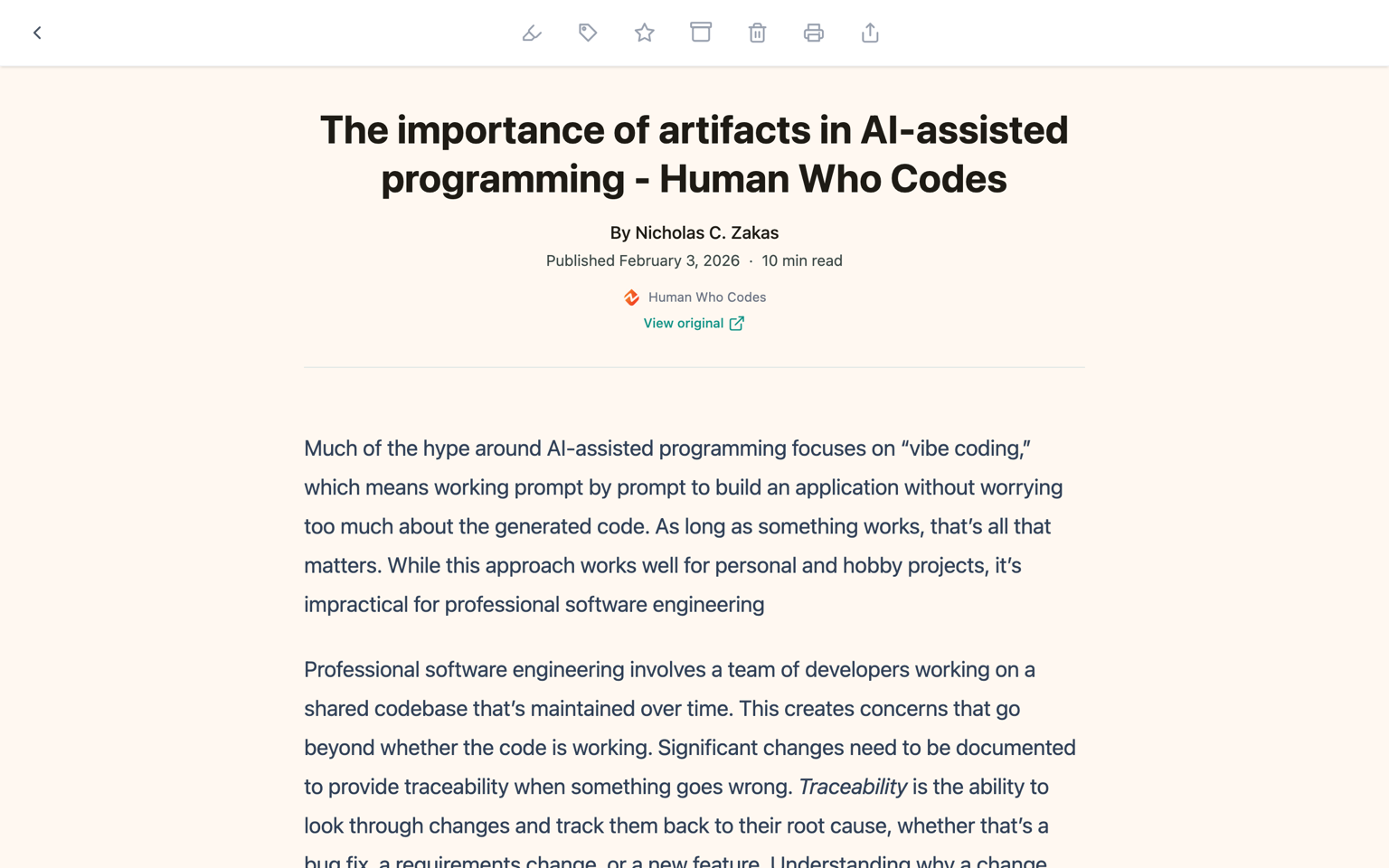
The toolbar at the top keeps the essentials one click away:
- Toggle highlights: open the panel with everything you’ve highlighted in this article.
- Listen to article: have the article read aloud in a small player window.
- Edit tags, Add to favorites, Archive: organize without leaving the page.
- Mark read / Mark unread: set your reading status by hand.
- Download, Print, Share: take the article with you.
- Back: return to your library.
A View original link under the title always takes you to the source page.
What about documents, videos, images, and audio?
Section titled “What about documents, videos, images, and audio?”The viewer adapts to what you saved. PDFs, Word documents, and presentations open page by page, as published, with highlighting and reading progress just like an article. YouTube and Vimeo links play right inside Bredbox, image saves display the image and can be downloaded as WebP, PNG, or JPEG, and audio links get a player. Highlighting and reading progress aren’t available for videos, images, and audio, because there’s no text to work with.
Recipes get their own layout entirely: see Cook from saved recipes.
When the reader is not perfect
Section titled “When the reader is not perfect”Some pages don’t turn into a clean reading view. That usually happens when the original page depends on:
- Heavy scripts
- Interactive embeds
- Paywalls
- Unusual layouts
When that happens, keep the save anyway and use the View original link.
Why some pages look simpler in Bredbox
Section titled “Why some pages look simpler in Bredbox”The reader shows the article’s text and images and leaves the original page’s scripts and embeds behind, so it loads fast and stays private. A few interactive parts of the original page won’t appear: that’s the trade that makes the view calm.
A good reading workflow
Section titled “A good reading workflow”- Save the link when you find it.
- Open the article later, when you actually have time for it: Bredbox remembers where you left off.
- Highlight the parts you want to remember.
- Archive it when you’re done, and keep the highlights forever.